Work
Play
About
Seth San Miguel
Justin Young
ROLE AND TEAM
Product Designer
TIMELINE
March 2026 - June 2026
SKILLS
Research Synthesis, User Interviews, User Flows, UI Design
TOOLS
Figma, Figjam
Partiful is a social event sharing app that allows hosts to share event logistics with guests. While Partiful makes the process of creating and sharing events simple, guests can still feel socially uncertain about deciding whether to RSVP. Users receive basic information such as time, location, and theme, but oftentimes may not know other attendees.
By introducing "Party Profiles," our team aims to make events feel less anonymous by helping users feel more comfortable and familiar with new people before RSVPing.
Party Profile Cards: help guests acquaint with strangers before a social event
Lightweight profile setup: pop-up styled creation process with fun conversation prompts
Lower the barrier for RSVPing by helping users find other party-goers with similar interests
Overview
Outcomes (TLDR Version)








Let’s dive in
Introducing Party Profiles to Reduce RSVP Hesitation for Partiful Users
Extending an app feature for UC San Diego’s COGS 127: Data-Driven UX/Product Design

Context
Partiful is an app that allows individuals to send digital card invites to guests, built to help ease the process of social planning. For introverted individuals however, the RSVP moment can feel uncertain. The current invite experience gives basic information such as time, location, and vibe but lacks social context guests may need to decide if an event is comfortable for them. Over 60% of Gen Z individuals report significant mental health challenges, with social anxiety being the most prevalent.
At this point, my team and I decided to draft a problem statement based on some secondary research we had conducted. Two main findings we discovered was that introverts’ expectations for social interactions are more pessimistic than what they experience, and many social spaces are built around extroverted expectations. From this research, we began drafting interview questions for our User Research.
Overview · Understanding the loneliness epidemic...
18 - 22 Year Old College Students
USER POPULATION
79% of 18-24 year old adults report feeling lonely
SCALE OF THE PROBLEM
User Research Findings · The hidden frictions behind RSVP hesitation
Users said they were more likely to attend an event if they knew a friend attending. Social familarity >
Familar Faces are Key
Vague Vibes → Anxiety
When an invite lacks practical logistics like transporation and location, guests need to take an extra step to DM the host
Logistics are Comfort
Users want more “vibe” clarification, as “parties” can range from laidback hangouts to mixed-group socials.
We conducted three 30-45 minute semi-structured interviews to gauge a better idea of the issue. My teammate Seth interviewed a host to hear from the event creator’s perspective, while I interviewed two introverted college students. Additionally, I created an event sign-up experience as a task to hear their thoughts as the interviewees scrolled through it.
High-Fidelity Prototype · Clicking through our Design Solution
The Party Profile · Lowering the Barrier for Social Connections
Key Design Decisions · Highlighting the Anatomy of the Hi-Fi
Our high-fidelity prototype aims to lower the barrier for building new friendships with a “party profile” where users can fill out basic information about their interests and hobbies. The goal of this feature is to help introverted users feel less hesitant about RSVPing to an event where they may not know anyone. The Party Profile helps users feel more comfortable meeting new people before going to an event.
As we designed this feature, we mainly focused on making the flow feel lightweight and playful, rather than another requirement for profile-building. Our pop-up style is also meant to feel non-invasive, helping the user feel connected to the event RSVP.
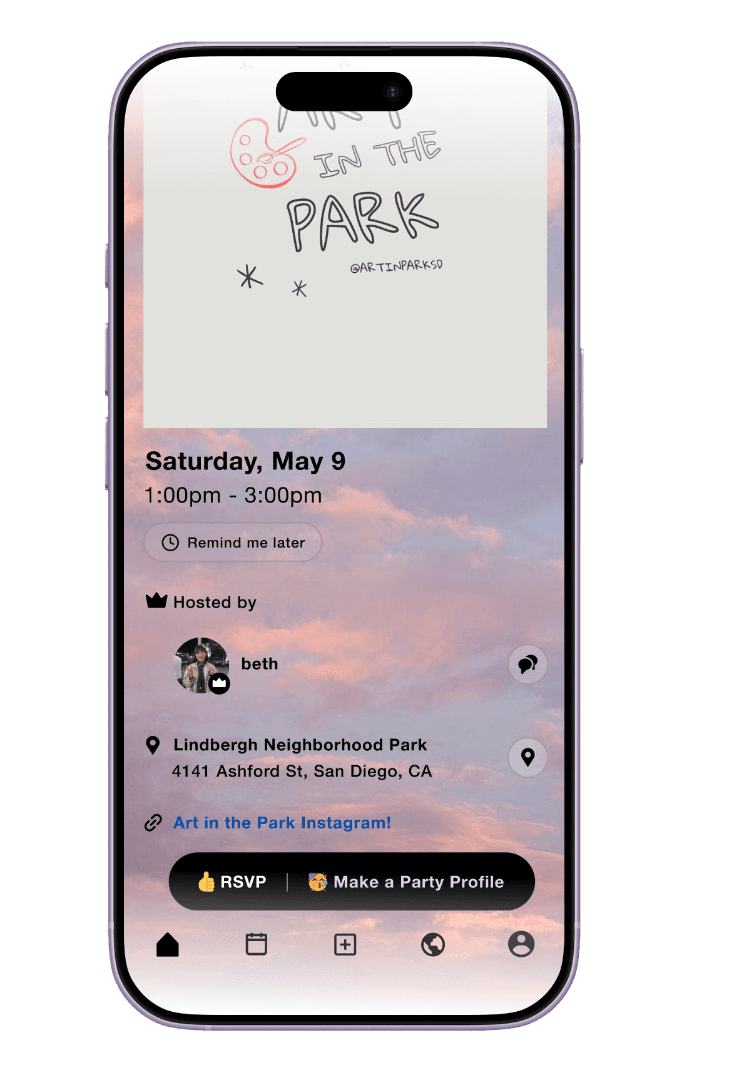
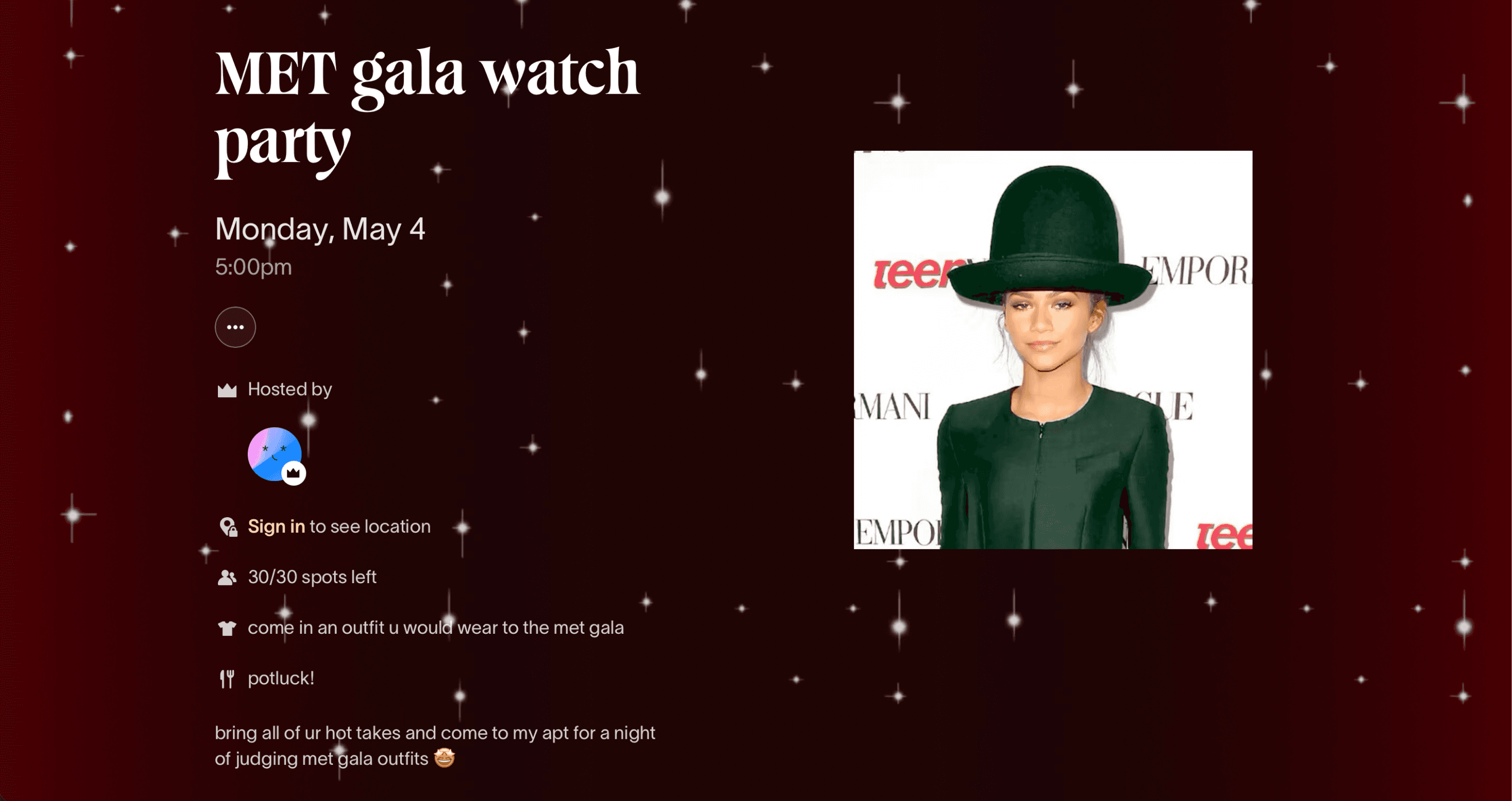
Event-Integrated Entry Point
Placing the “Make a Party Profile” next to the RSVP makes it connected to the event expereince
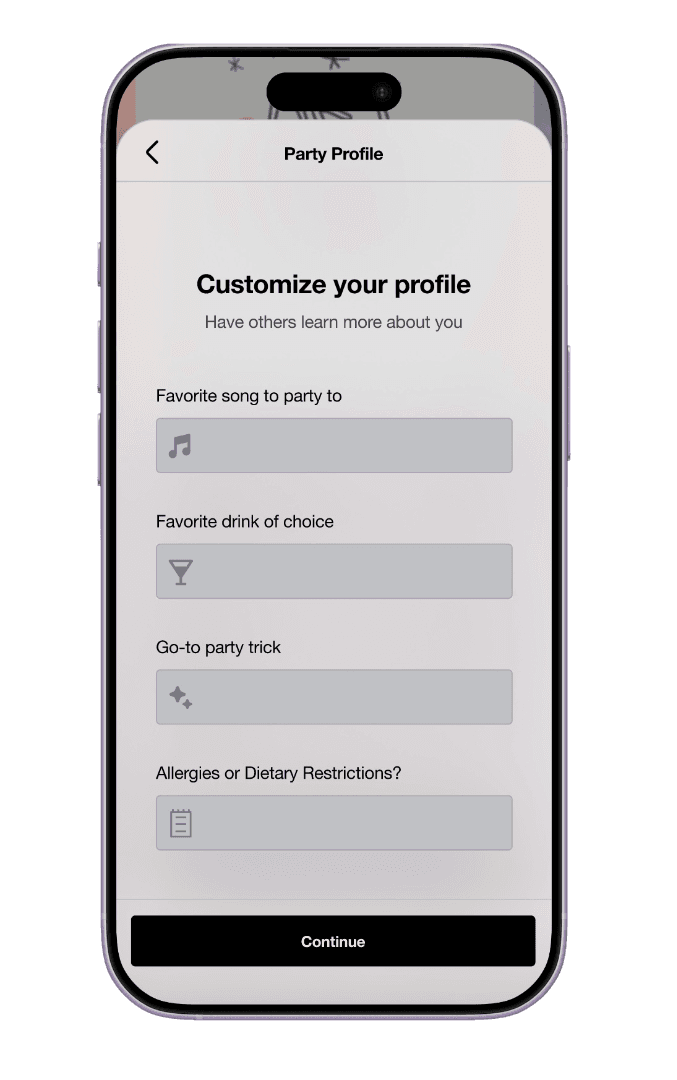
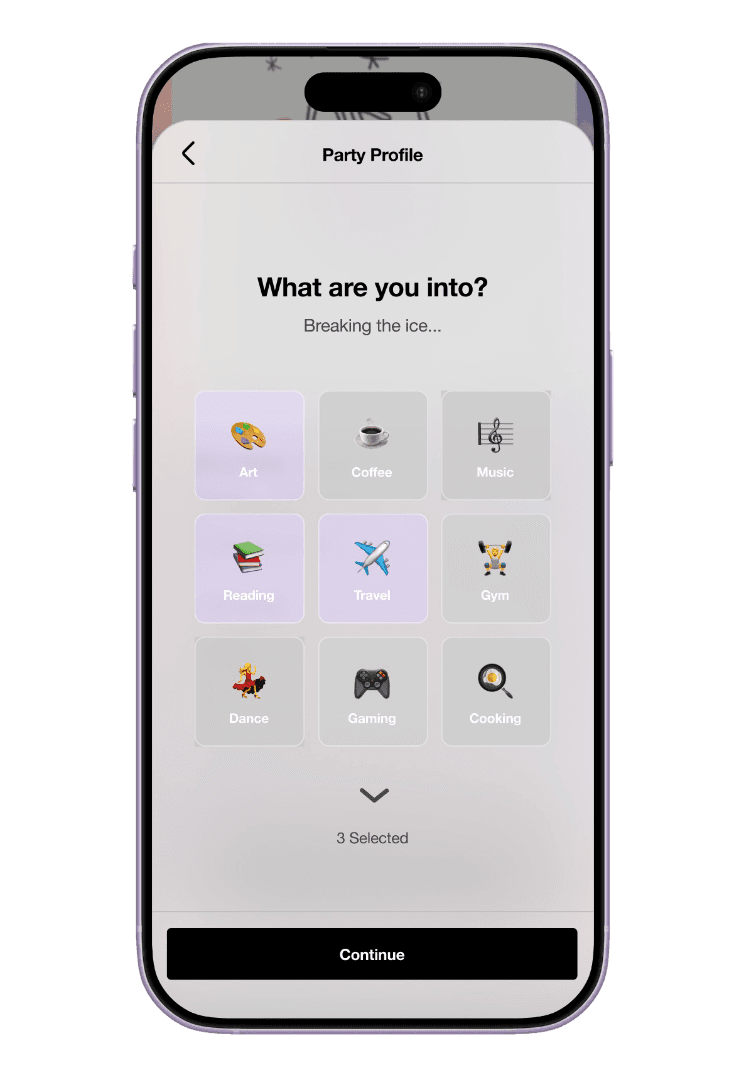
Playful Personalization
Instead of traditional bio prompts, this step encourages more memorable and socially engaging details
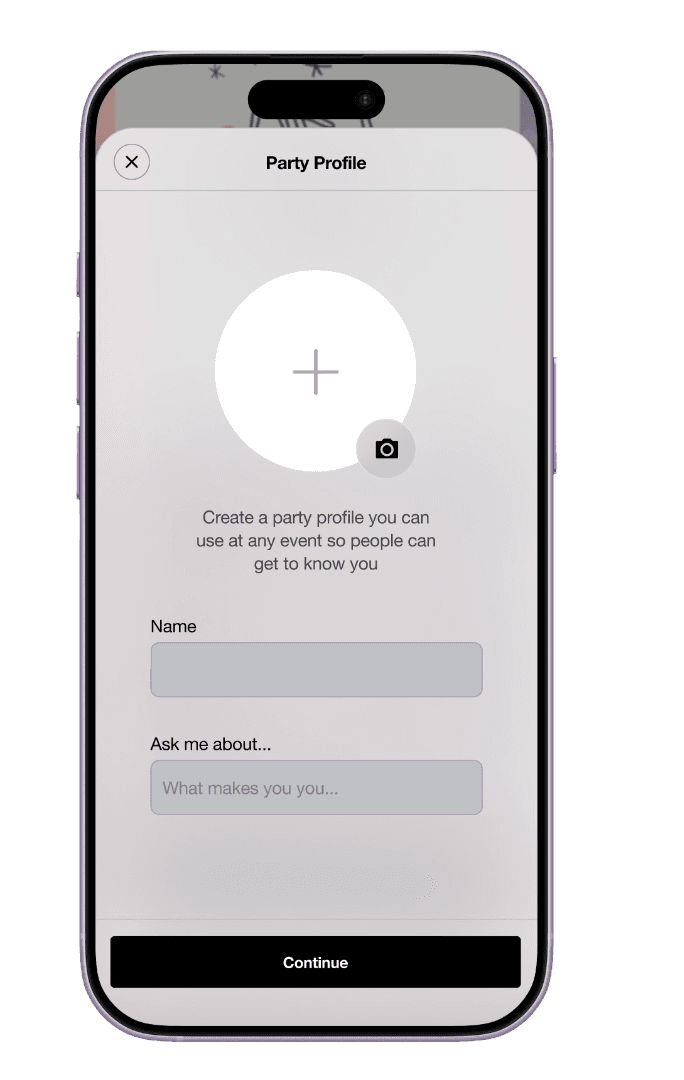
Lightweight Onboarding
Minimal text fields to not overload the users + focusing on conversational starters
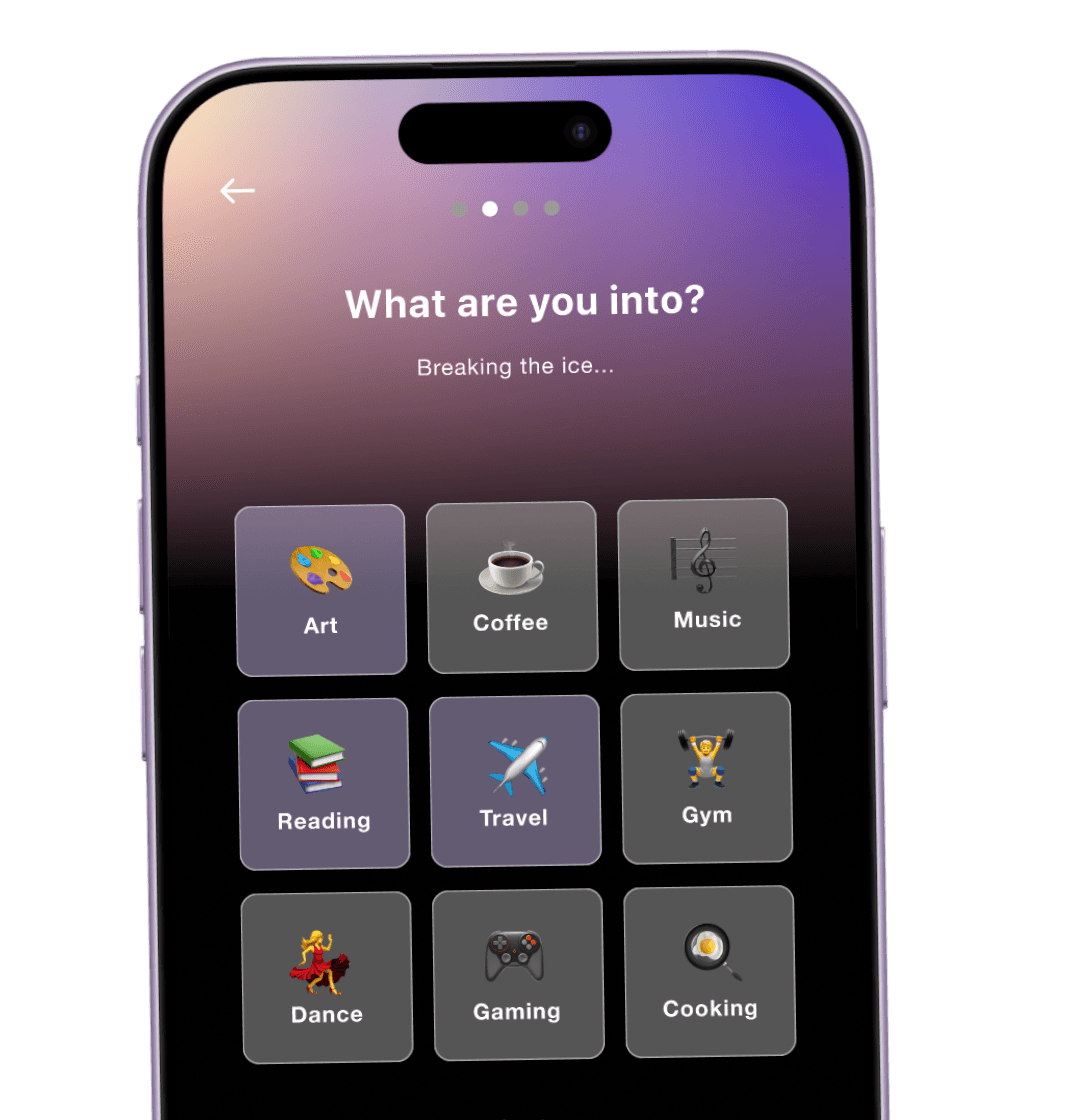
Interest-Based Icebreakers
I designed various hobbies into distinct cards so users could quickly scan and select their interests
01
02
03
04
User Testing Results · Making Party Profiles more useful and optional
Users liked the pop-up feature more because it felt more tied to the event RSVP, rather than an extra task
Forced Profiles are Friction
Clearer Choices → Less Anxiety
Users wanted features to be practical, not only fun - clarified preference inputs and allergy restrictions are important
Practical Details are Key
Users like visual preference cards rather than written vibe chips that could come off as vague
Before and After Screens · Implementing User Testing feedback into our Hi-Fis
Personal Reflection
I learned that it was important to ensure that our “party profile” feature didn’t feel like another cumbersome profile building task, but a way to help guests feel more comfortable approaching people during an event. User testing revealed that people like learning about shared interests, as they could help out conversation starters. However, users mentioned that they would only appreciate the feature if it feels fun and optional, rather than a requirement.
User Testing Methdology · Recieving feedback on our Party Profiles
We conducted 2 user tests to receive feedback on our Hifi iterations of our Figma prototype screens. We compared two versions of our “Make a Party Profile” feature to understand which version better supported a personalized profile creation experience. The biggest difference between the two versions was that the first one redirected the user from the Event RSVP page, while the other one displayed as a pop-up.


Version A
Version B


Here is a more distinct side by side comparison of the changes we implemented before and after our user testing. As I created these graphics, I focused on highlighting features that were more visually-driven and made the profile process clearer for the user to understand, minimizing potential confusion or friction points.
Reflection · A super fun and realistic project!
I really enjoyed designing this project for COGS 127, particularly because it felt like my group mates and I were tackling a real issue. The process of research, user interviews, prototyping, and iteration helped me think more critically about building a feature that served users who needed it. It was even more fulfilling to hear friends say that they would appreciate the feature! Building out my own case study as I worked on the project also helped me organize my work clearly, as opposed to putting it off. Shout out to my teammates Seth and Justin for making this such a wonderful group project experience ◡̈
Designed with the help of many coffees
Ann Yang